


Microsoft Designer - Stunning designs in a flash
A graphic design app that helps you create professional quality social media posts, invitations, digital postcards, graphics, and more.
Website Address
Website Screenshot
Live Screenshot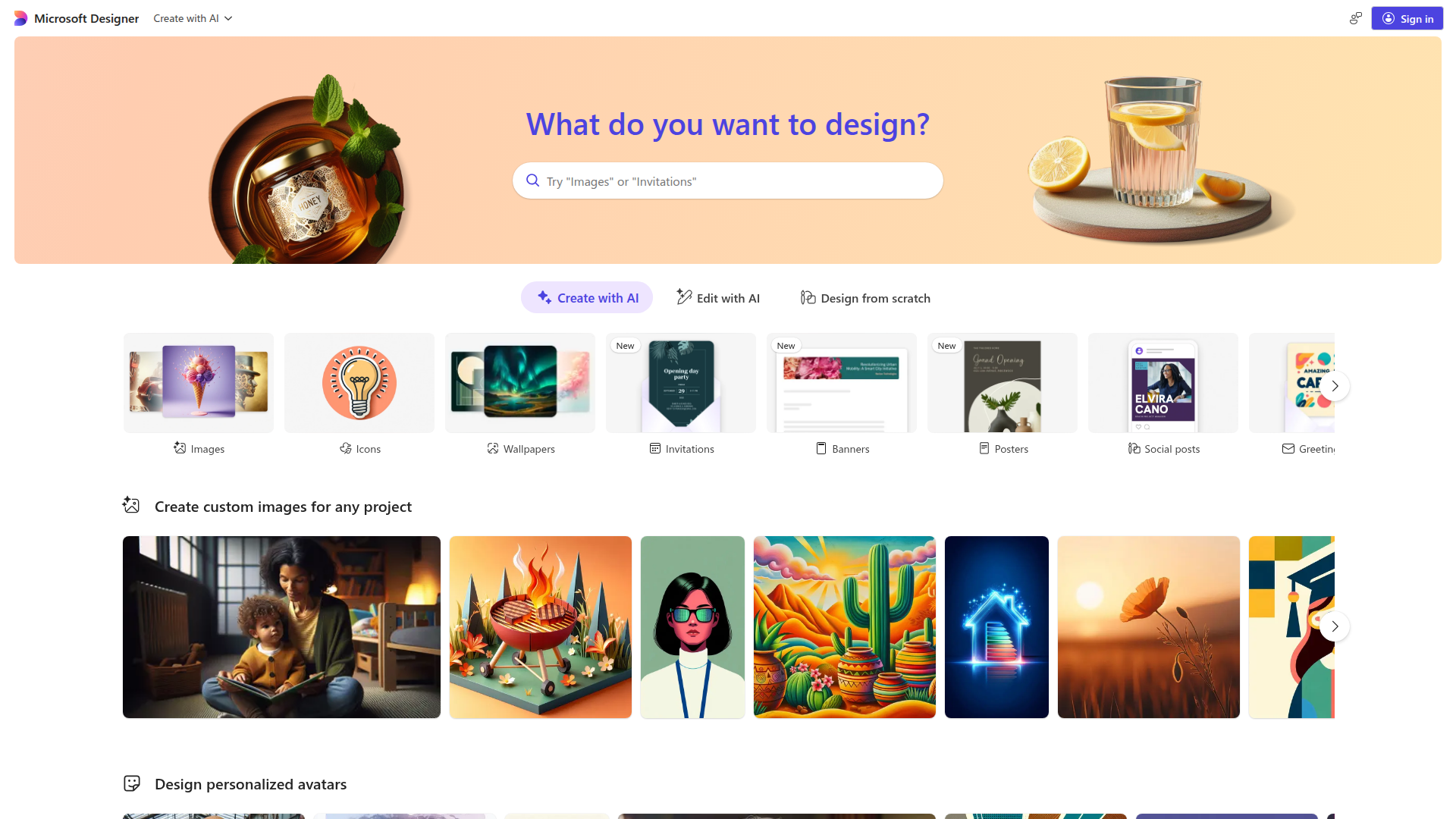
Introduction
Engaging introduction copy
Unleash Your Creativity with Microsoft Designer
Hey there! Have you ever felt overwhelmed by the thought of creating eye-catching designs? Microsoft Designer is here to change that! This incredible tool uses AI to help you whip up stunning visuals in no time, whether it's images, social posts, or even greeting cards. You don’t need to be a design expert—just tell it what you need, and watch the magic happen! Say goodbye to the frustration of complicated software and expensive stock images. With Microsoft Designer, you can create beautiful designs effortlessly, leaving you more time to focus on what truly matters. Ready to elevate your creative game? Dive in and discover how easy it is to bring your ideas to life!
FAQ
Frequently asked questions
What can I create with Microsoft Designer?
You can create a variety of visual content including images, banners, social media posts, collages, and even avatars.
How do I use this tool?
Just sign in, choose what you want to design, and follow the prompts to create your content easily.
Are there any limitations on what I can design?
While you can create many types of designs, some features may have restrictions based on your account type or the specific templates available.
Can I edit images after creating them?
Yes, you can edit images, including options like removing backgrounds and adding effects.
Is there a cost associated with using Microsoft Designer?
The tool is free to use, but certain features or assets may require a subscription or one-time payment.
What if I don't have design experience?
No worries! Microsoft Designer is user-friendly and utilizes AI to help you create stunning designs even if you're a beginner.
Can I save and share my designs?
Absolutely! You can save your designs in multiple formats and share them directly on social media or download them.
What types of templates are available?
There are numerous templates available for various purposes like flyers, greeting cards, wallpapers, and more.
Advantages
Core advantages and unique value
Quick and Easy Design
With Microsoft Designer, you can create stunning visuals in no time. Just choose what you want to design, and the AI helps kickstart your project.
Versatile Templates
Whether you need social media posts, banners, or even avatars, there's a template for it. This variety makes it perfect for all your design needs.
AI-Powered Features
The app uses artificial intelligence to generate images and edit backgrounds, making it easier for anyone to create professional-looking designs without any design skills.
Remove Backgrounds Effortlessly
You can easily remove backgrounds from images, saving you time and hassle when creating collages or promotional materials.
Fun and Engaging
Creating designs can be a fun experience, thanks to the user-friendly interface and creative options, making it enjoyable for both kids and adults.
Target Audience
User groups and pain points analysis
Graphic Designers
Struggling to find the right design elements and wasting time on repetitive tasks, leading to frustration and burnout.
Small Business Owners
Lack of design skills makes it hard to create professional-looking marketing materials, resulting in missed opportunities.
Social Media Managers
Need to constantly produce eye-catching graphics for posts but often run out of fresh ideas, causing stress and pressure.
Students and Educators
Finding it challenging to create engaging presentations and educational materials, feeling overwhelmed by design tools.
Event Planners
Time constraints make it difficult to design attractive promotional materials, often leading to last-minute, low-quality outputs.
Competitors
Competitor analysis and market positioning
Canva
Canva offers extensive templates and design elements, but Microsoft Designer differentiates itself with AI-powered features that streamline the design process, making it faster and more intuitive.
Adobe Express
Adobe Express targets professionals with advanced tools, while Microsoft Designer simplifies the design experience for casual users, focusing on accessibility and ease of use.
Visme
Visme provides robust data visualization tools, but Microsoft Designer stands out by integrating generative AI, allowing users to create images and designs quickly based on prompts.
Improvements
Areas for improvement analysis
Lack of user guidance
Incorporating tutorials or tips for new users would enhance the onboarding experience.
Overwhelming number of options
Streamlining the categories or providing a search function could help users find what they need more easily.
Limited collaboration features
Adding real-time collaboration tools would enable users to work together more effectively.
Recommended Websites
Search engine and web services platform
GitHub
Code hosting platform for version control
Stack Overflow
Q&A platform for programmers